Campaigns
This section contains infomation about how campaigns are setup and configured.
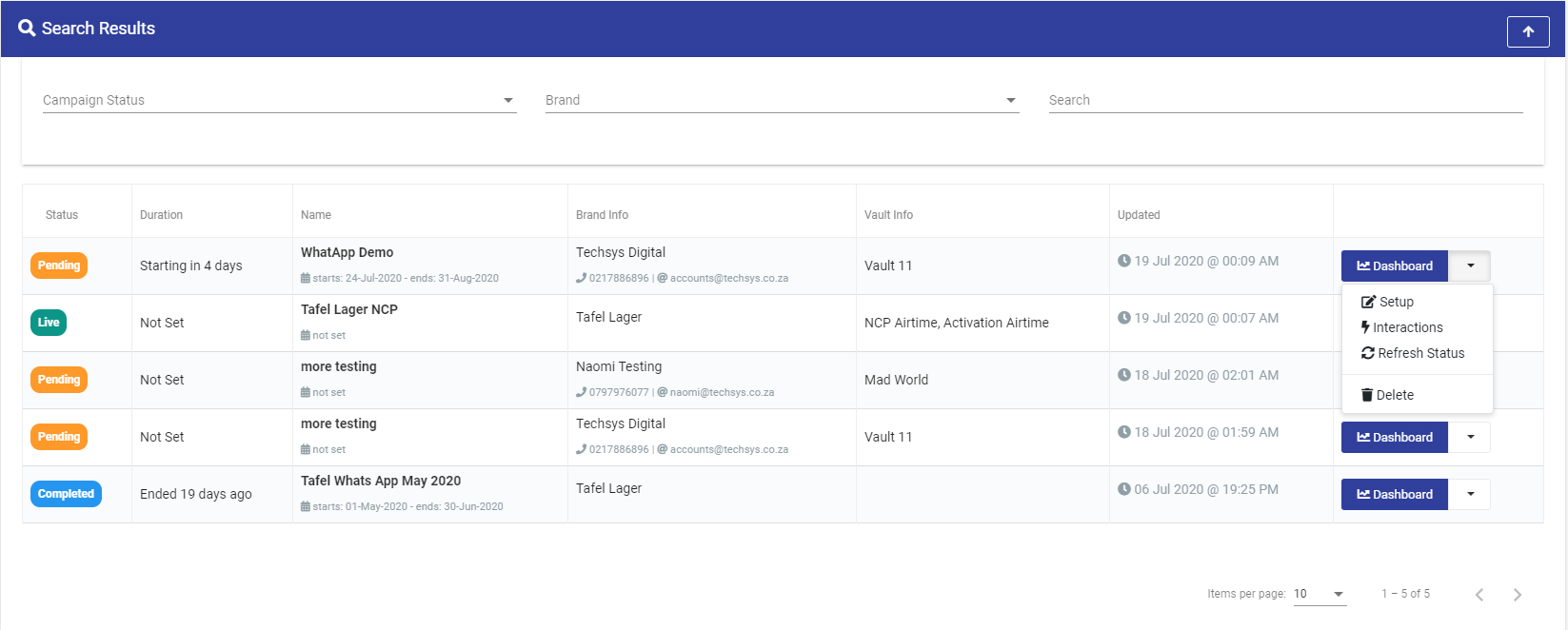
Campaign Setup
This section allows you to configure various aspects of your campaign.
Campaign Statuses
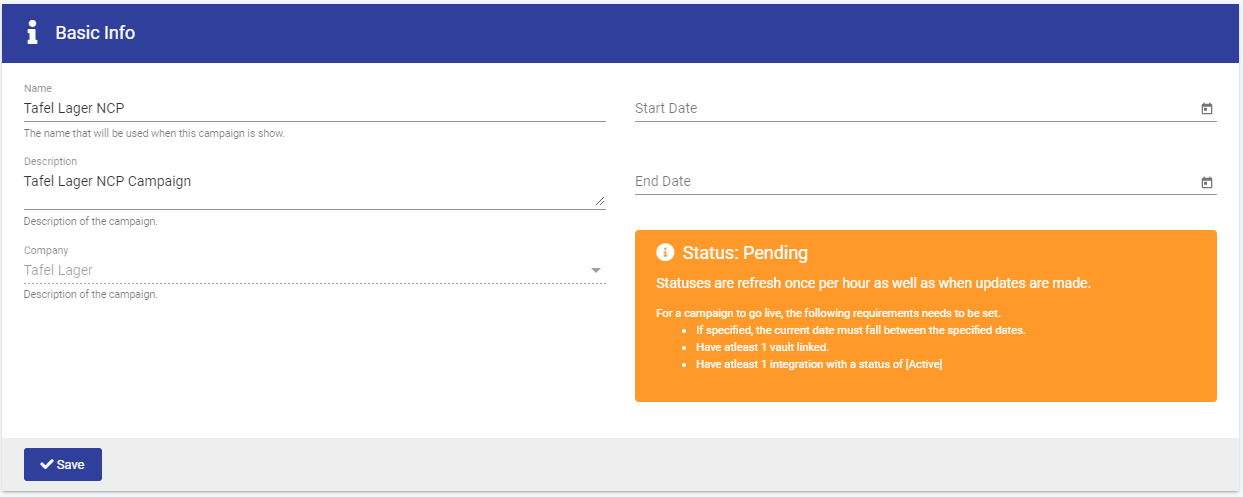
Campaign Status are automatically controlled by the system, and are updated when a campaign matches the criteria.
- Pending: This is the default status for a new campaign.
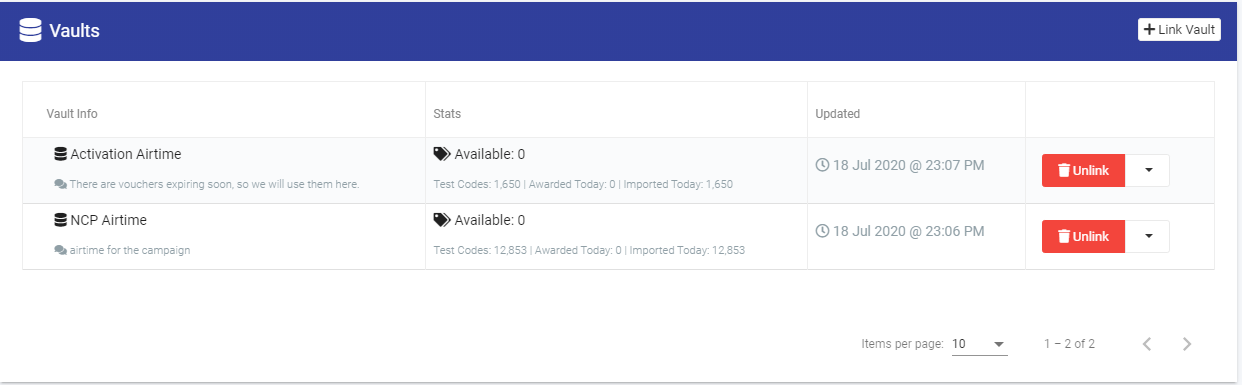
- Live: This indicates that a campaign is correctly configured. - If dates are specified and the current date must fall within this range. - Have atleast 1 vault linked. - Have atleast 1 integration with a status of [Active]
- Completed: Indicates that a campaign is over / closed. - If a campaign has an end date set and the current date must fall after this date. - Vouchers will no longer be awarded.
- Archived: Indicates that a campaign has completed sometime ago. - If the campaign end date is more than 30 days in the past. - The campaign no longer appears in the UI, unless included via filters. - Vouchers will no longer be awarded.
Basic Info
Integrations
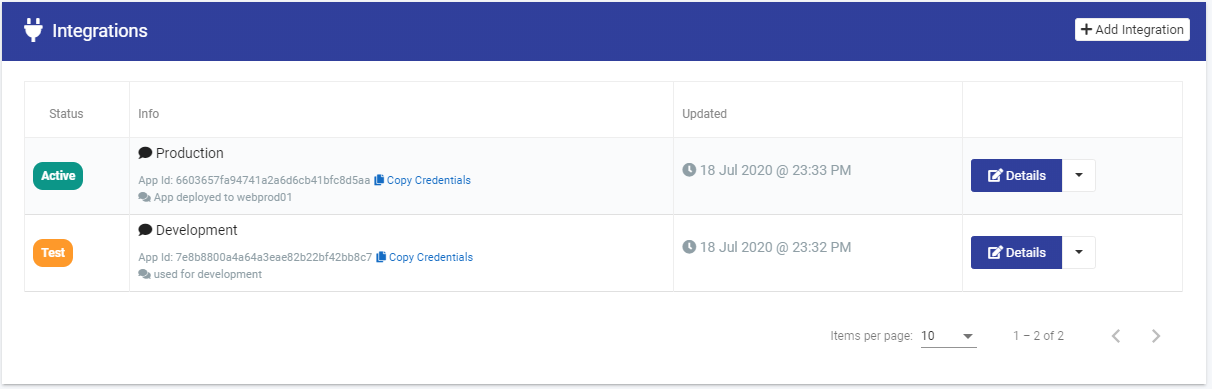
Integrations allow other applications to award vouchers from your campaign.
Integration Statuses
- Test: This is used for testing your integration. When hitting the API with this configuration, it will only award “Test Vouchers” from the linked vaults. This can be used when a campaign is in a “Pending” State.
- Live: This is used for production. When hitting the API with this configuration, it will award “Live/Real Vouchers” from the linked vaults. This can be used when a campaign is in a “Pending” State.
- Revoked: This is used to revoke access to a integration.
Campaign Reporting
There is a reporting dashboard available for you campaign, this gives you an overview of how your campaign is performing, as well as health and diagnostic infomation.
Summary Charts
- Total Interactions: The total number of requests made against your campaign.
- Vouchers Awarded: The total number of vouchers that have been awarded by your campaign.
- Out of Vouchers: The total number of requests that the was not a voucher matching the request criteria.
- Errors: The total of number requests with invalid data, i.e. Unknown Vendor, etc.
- Exceptions: The total of number requests that generated application exceptions.

Available Vouchers
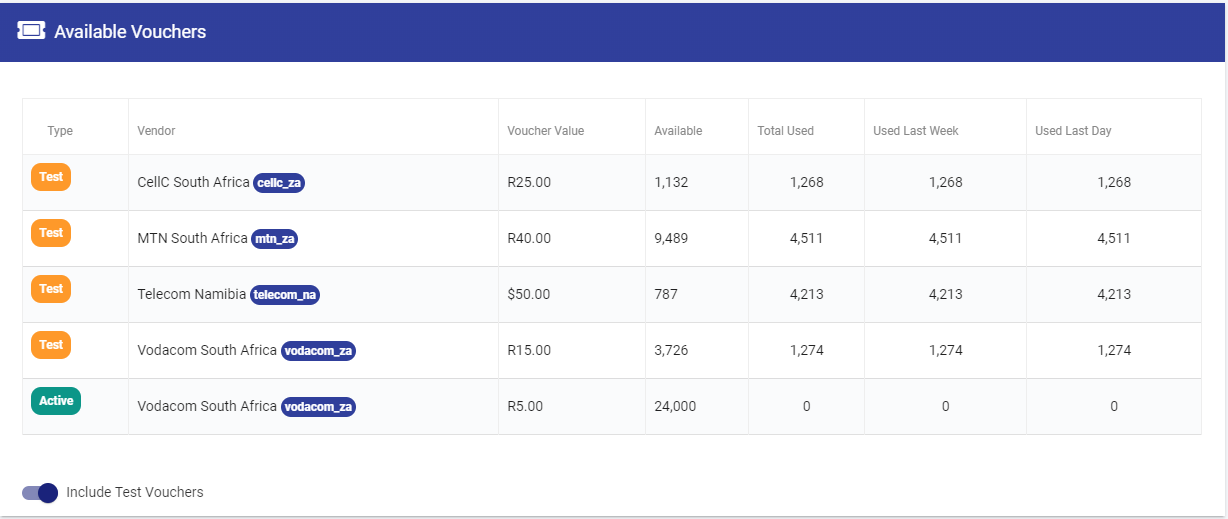
This how many vouchers are available to your campaign via the linked vaults. Also shows how many vouchers of each type have been awarded in total as well as last week and last day.
Awarded By Day
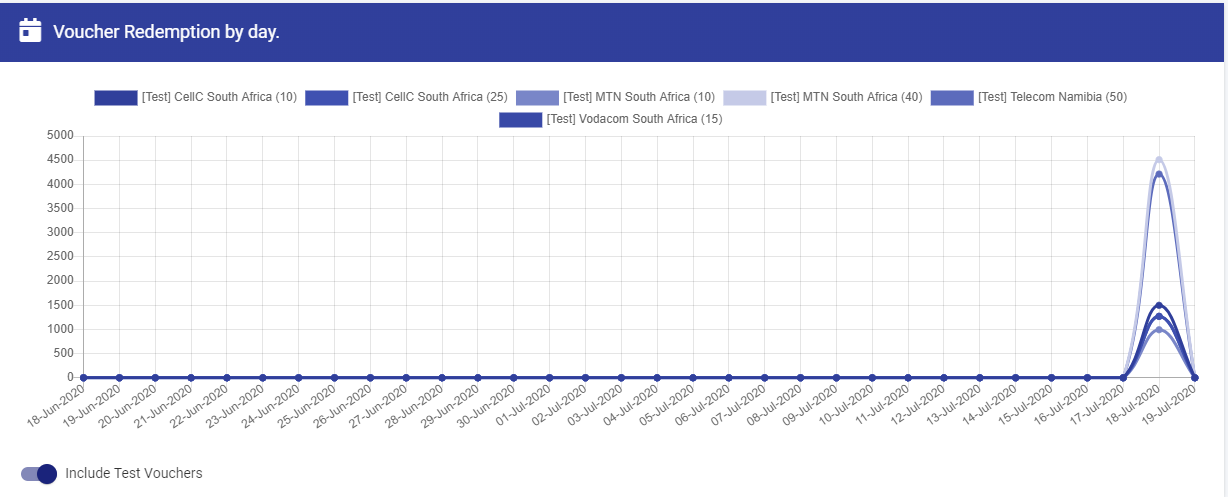
This show daily redemotions by voucher type (vendor and amount) for the last 30 days.
Api Statistics
This breaks down traffic against your campaign by the type of response.
Awarded By Day / Hour
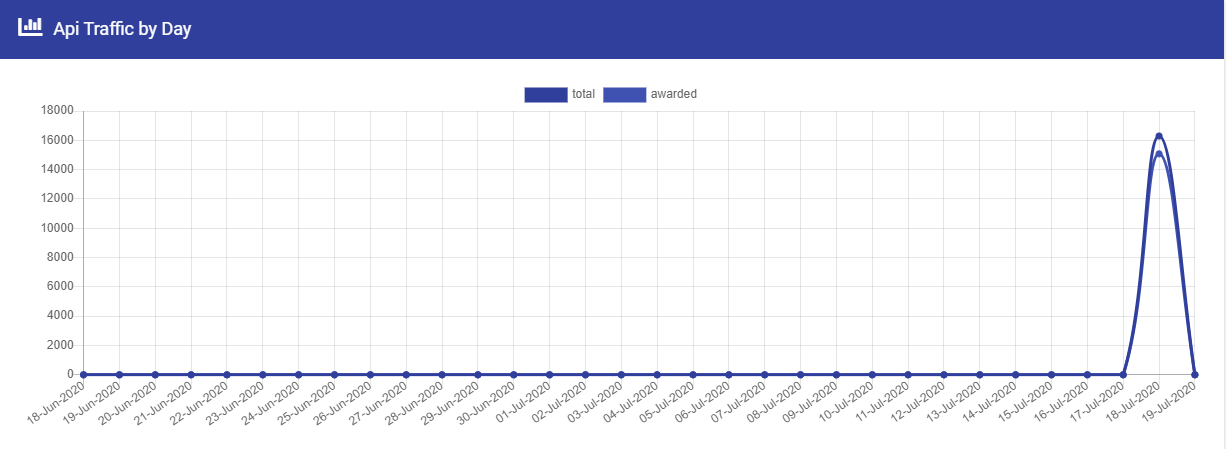
This charts the number of successfully awarded vouchers against the total requests against the api.
Errors By Day / Hour
This charts the number of errors and exceptions generated against the total requests against the api.

Campaign Interactions
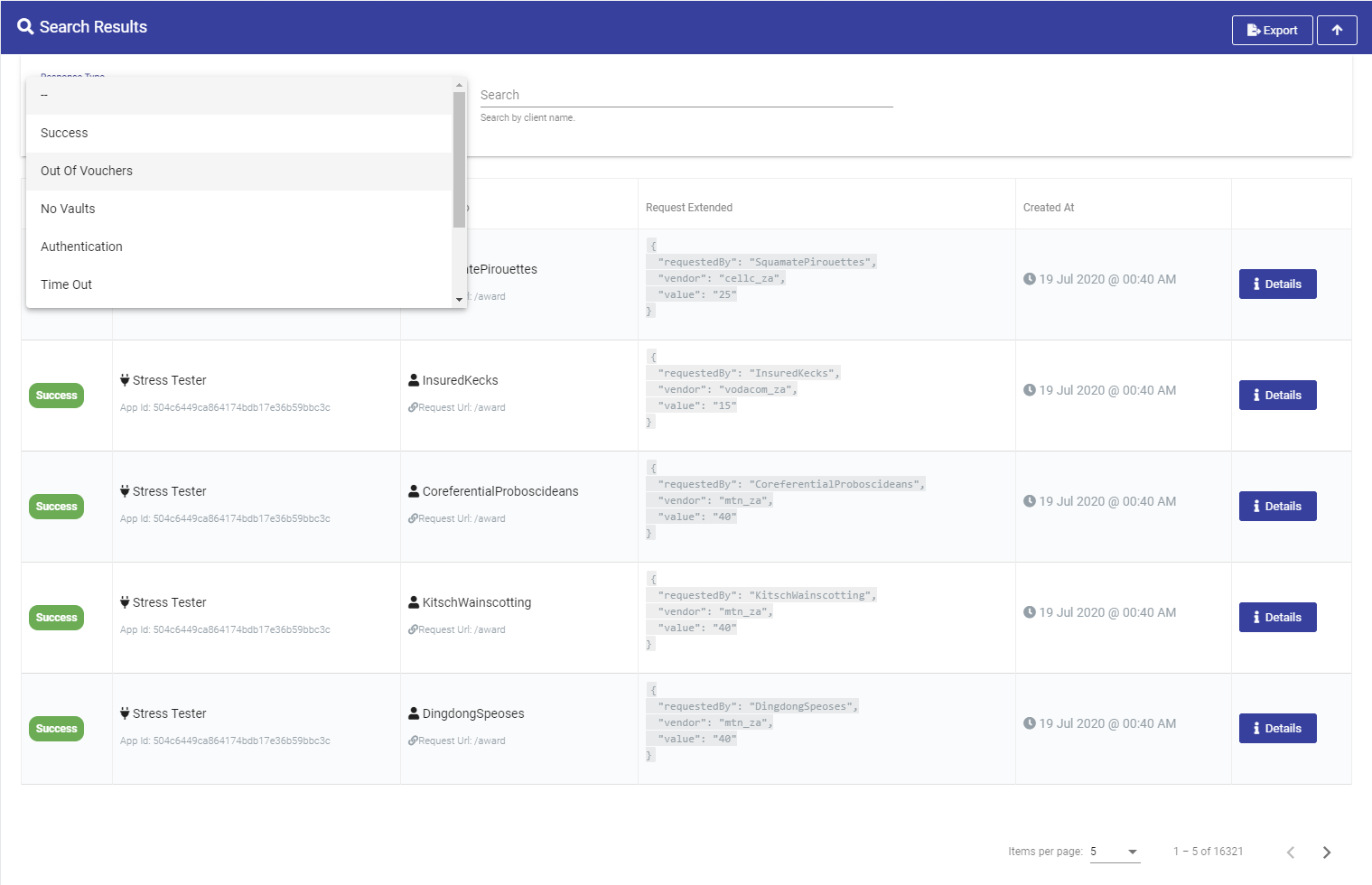
This allows you to view the details of requests made to your campaigns.
You are able to filter by campaign status, view status definitions or search by the details of the redeemer (mobile number, email address, etc).